

I have always enjoyed the feeling of deploying something fast. In recent years, nothing quite matched the feeling of putting code at the edge with Cloudflare Workers. They are more than just fast; they're small, efficient, and run far closer to your users than any virtual machine or container I’ve used.
What are Workers, really?
Cloudflare Workers are serverless JavaScript functions running on dozens of Cloudflare’s edge locations worldwide, executing your code within milliseconds of user requests. Instead of provisioning hardware or worrying about container cold starts, your logic runs inside a V8 isolate right at the CDN edge.
This is not a full Node.js environment. Workers use the V8 engine (the same used by Chrome), but Cloudflare wraps them with a custom runtime tuned for the Web Platform’s APIs. That means you get fetch, Request, Response and streaming-friendly primitives—while Node.js APIs like fs or process are not present by default.
The V8 isolate model and the execution lifecycle
Whenever a request hits the Worker, it enters an isolated V8 context. Here’s where the difference with Lambda-style serverless matters: functions launch with almost no cold start, because V8 isolates are ultra-light and can be started in under 5ms. No need to wait for any container to warm up.
But there are tradeoffs:
- CPU time per request is capped—typically at 50ms, configurable for some plans.
- No shared global memory between isolates. Each request runs isolated, but some context can be reused for performance.
- Event loop is different: setTimeout and setInterval work, but usage is constrained to keep things predictable and fast.
- Non-blocking code is key. Synchronous or CPU-heavy loops hit hard limits quickly.
Isolation is speed—and a boundary.
Request lifecycle: from fetch to response
Every Worker gets assigned a fetch event handler. This function receives a Request object (histories, methods, headers, streamable body), and must return a Response. The Headers and URL objects mimic the browser API style, keeping things consistent for web developers.
Streaming is encouraged—a response body can be a readable stream. That allows you to proxy, transform, or buffer content from origins, APIs, or elsewhere, with minimal latency.
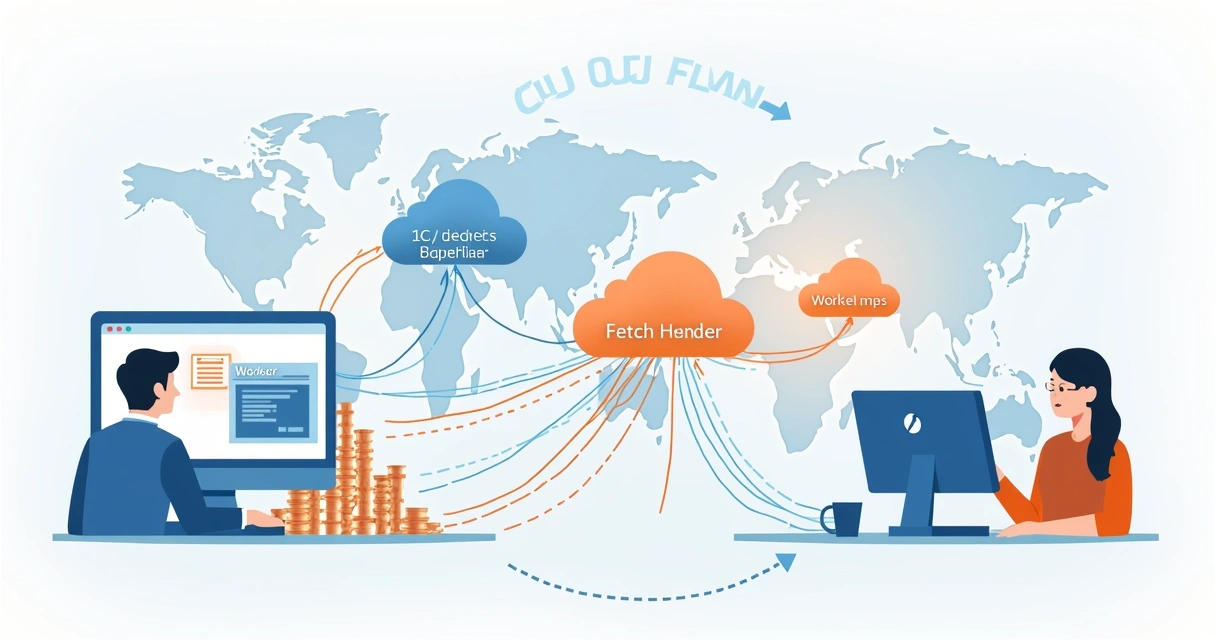 At the edge, caching can be applied. With caches.default, you can cache responses as you build them, using Cache-Control or programmatic cache keys. This, linked with Cloudflare’s edge CDN, allows precise control over what gets cached, for how long, and in which locations.
Workers runtime vs traditional Node.js serverless
I see many engineers expect Node.js features and feel surprised:
- No require (ESModules only), and most Node APIs are missing.
- Access to the Web Crypto, Streams, and fetch APIs, making it much like a browser.
- Streaming-first: both requests and responses can, and should, be streamed if possible. This reduces tail latency.
This isn’t just different syntax—it's a different runtime philosophy.
Architecture and configuration
Working with Workers at scale, configuration is as critical as the code itself. I use wrangler (the official CLI) to manage deployments, secrets, and settings. Bindings allow Workers to access persistent storage, environment variables, and external services.
- Environment Variables/Secrets: Managed per environment (e.g., preview, staging, prod), allowing secrets, tokens, and runtime configs that never hit the codebase.
- Service Bindings: Allow one Worker to securely call another Worker, promoting modular design.
- KV, Durable Objects, D1, and R2 bindings: Connect to edge-attached data stores or objects using internal binding references.
Routing is route-based: you specify which paths or hostnames attach to which Workers, making multi-tenant or microservice edge architectures simple to wire up.
Working with subrequests and limits
Each Worker can issue up to 50 subrequests per request, whether fetches to origins, APIs, or other Workers. These are subject to quotas, so batch calls carefully. There are memory usage limits and strict request timeouts; avoid hoarding state in global memory.
I’ve learned that respecting quotas is not optional—it's protection for both your wallet and users.
Observability, logging, and rollout workflows
Cloudflare provides built-in logs, real-time tailing, and metrics. I usually rely on wrangler tails for local debugging, and send production logs to third-party endpoints for analysis. Full request tracing is supported, tying together events across Workers and caches.
My deployment workflow always looks like this:
- Push to preview or test environment: verify with mock data or Miniflare, a local dev tool providing near-parity with production.
- Deploy to staging: integration tests run here to check external APIs and data sources.
- Main deploy: promoted to production, with the last working build one rollback command away.
Validating a Worker locally matches production behavior is not always perfect, but recent improvements have made this far better. If you want more on release strategies and staging, the technology archive on my blog often shares my learnings in that area.
Data at the edge: KV, Durable Objects, D1, R2, and Queues
Choosing the right data primitive is one of the first big architecture questions. Here’s how I evaluate them:
- KV (Key-Value): For read-heavy data, config, or session caching. Values are eventually consistent across locations—fast reads, but writes may take seconds to propagate.
- Durable Objects: Objects are single-threaded and uniquely located on one edge. They offer strong per-object consistency and coordination patterns, including WebSockets support. Useful for counters, chat, session locking, or rate limiting.
- D1 (Edge SQLite): For transactional or relational needs at the edge—think user data tied to region, feature flag settings, or audit logs. Writes are transactional per region, with some propagation delay for global sync.
- R2 (Object Storage): Store blobs, images, large data files, S3-compatible. Not for hot path workflows; better as async attachment storage, image offloading, or app backups.
- Queues: Asynchronous background work, delayed retries, or fan-out processing (like webhook broadcasting or image post-processing).
KV is great for data you can tolerate being slightly stale for a boost in access speed. For things like counters or stateful logic, Durable Objects are my go-to.
If you’re trying to decide, consider: Does the data need to be globally consistent instantly? Is latency or reliability more important? Is this “hot” or “cold” data?
Patterns, use cases, and real-world examples
Reflecting on my own projects and some shared by others, Workers have become my preferred solution for these patterns:
- API Gateway: Routing, normalizing, and aggregating traffic from users to multiple backend APIs, adding headers or error translation at the edge.
- Auth/session handling at the edge: JWT validation, session cookies, bot detection, all checked before any origin is touched.
- AB testing and feature flags: Serving variant content depending on cookies or custom headers, with logic pushed away from origin.
- Request normalization: Cleaning and transforming inputs, redirect management, or static asset rewrites.
- Bot mitigation logic: Early checking of user-agents and IPs, applying rules before requests hit core APIs.
- Image transformation: Resize, format conversion, or smart cropping right at the edge.
- Streaming proxy and webhook fanout: Receiving streams, relaying them onward, or handling webhook posts and pushing events into queues.
- Rate limiting with Durable Objects: Counting calls per user or IP reliably and globally, using per-key Durable Objects.
- Cache stampede prevention: Locking fetches and queuing behind a Durable Object to avoid backend overload.
- Multi-region failover: Detecting origin downtime and rerouting to backup infrastructure, ideally with a sniff of cache where possible.
If you want more practical guides, specific implementation tips can be found in the growth strategies section and posts like this session handling case study.
Best practices and avoiding mistakes
Even with all this flexibility, there are some habits I recommend:
- Always design for idempotency. Fast retries on failure will happen, so safe repeats are best.
- Do not accumulate large in-memory data; isolates may be terminated unpredictably.
- Use streaming and backpressure. Avoid buffering large payloads; pipe them onward.
- Apply timeouts to all external calls.
- Handle errors gracefully. Don’t leak stack traces or details to clients.
- Use secrets management for keys and credentials—never bundle in builds.
- For tests, rely on Miniflare for fast unit tests and integration runs, aiming for parity with prod as much as possible.
For more nuanced mistakes and fixes, this pitfalls post covers my early missteps in detail.
An opinionated checklist for production readiness
- All configs and secrets separated and loaded by environment.
- Logging and monitoring to external destinations set up.
- Rollback strategy tested with real traffic.
- Data primitives matched to use case (KV for config, Durable Objects for state, R2 for files).
- All routes mapped, limits understood, and tested in chaos situations (timeouts, surges).
If you are comparing Workers to similar tools, think about three things: the runtime model (V8 isolates at the edge vs. containers or Node.js VMs), how deep the ecosystem goes (Web APIs vs. Node built-ins), and operational fit (rollout, monitoring, edge caches, security layers). A more detailed matrix and some edge-specific lessons are discussed in this in-depth post.
Conclusion
Cloudflare Workers have become the edge compute platform I reach for when performance, flexibility, and Web-standards APIs matter. They flip the old tradeoff of “compute vs. latency” by running code closer, not slower. My experience with requests, caching, primitives, and real-world patterns has changed how I build infrastructure. As always, fit the tool to the job—but if the job lives at the CDN edge, this is the tool I trust.
Frequently asked questions
What is a Cloudflare Worker?
A Cloudflare Worker is a lightweight serverless JavaScript function that runs on Cloudflare’s edge, handling requests near users and making web applications faster and more scalable.
How do I deploy a Cloudflare Worker?
You develop locally (often using Wrangler), configure the wrangler.toml file with your bindings and routes, and deploy with a simple CLI command like wrangler deploy. You can preview changes, push to environments, and rollback directly from the CLI.
Is it worth it to use Workers?
In my experience, Workers provide fast execution, minimal cold starts, and edge proximity, which fits distributed web applications, caching, and API routing very well. For stateful or latency-critical use cases, they often outperform traditional serverless.
How much do Cloudflare Workers cost?
Cloudflare Workers have a generous free tier with request and CPU limits. Paid plans scale up based on total invocations, CPU usage, and any attached storage costs (KV, Durable Objects, etc). Pricing is transparent and generally compares favorably with other serverless options for similar workloads.
What languages do Workers support?
Workers support JavaScript, TypeScript, and WebAssembly (by importing modules from compiled languages like Rust, C, or Go), always running in the V8 engine runtime.